


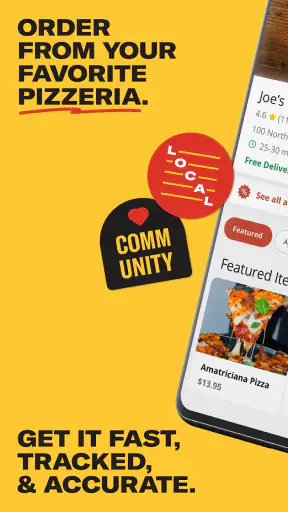
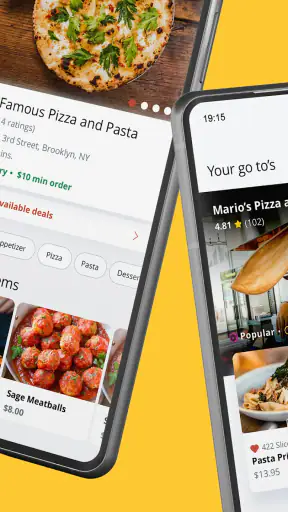
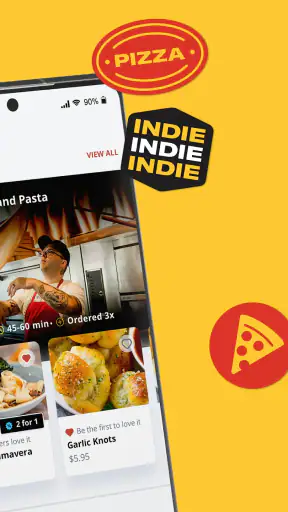
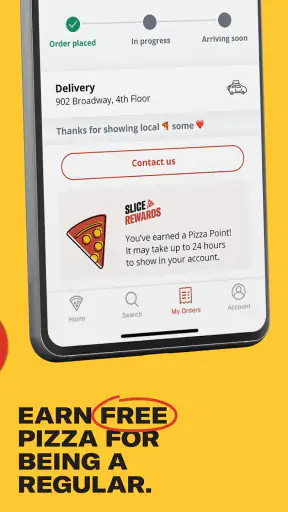
When I want pizza from a nearby independent shop, I usually care about two things first: finding a place that actually serves my area and getting the order through without a long chain of calls, menus, and repeated address details. Slice Local Pizza Delivery is built around that particular moment. It is a Food & Drink app from Slice Solutions, Inc. that brings local pizzerias into one ordering experience for delivery or pickup.
After using it as the middle step between deciding what to eat and collecting the finished order, I found it most useful when I already knew I wanted pizza but had not settled on a specific restaurant. It is free, rated for Everyone, and available for devices running Android 8.0 or later. The current version is 7.10.2, so compatibility is broad enough for many older phones as well as newer ones.
My overall impression is positive, but it depends heavily on what you expect from a food-ordering app. This is not a general restaurant marketplace where I would browse every type of cuisine. Its strength is narrower and more practical: it helps me compare participating local pizza shops, choose delivery or pickup, and keep the ordering process in one place. That focus is also its main limitation.
From “I need dinner” to a local pizza order
The starting point: choosing between convenience and a neighborhood shop
A realistic use case is a busy evening when I do not want to cook, but I also do not want to default to a national chain. I open Slice with a rough idea rather than a complete plan: pizza, an address, and a preference for either delivery or pickup. That is a better starting condition for this app than opening it while looking for burgers, groceries, or a full meal plan.
The first useful decision is whether I want the food brought to me or whether I am already passing near the restaurant. Delivery is convenient when I am staying home, while pickup can make more sense when timing matters or I am already nearby. Treating those as separate choices early in the process helps prevent a common mistake: selecting a restaurant because it looks appealing, then discovering that the preferred fulfillment method does not suit the evening.
I also like that the app’s purpose is clear. Rather than making me search broadly and then figure out whether a local pizzeria accepts online orders, it presents the experience around independent pizza businesses. That can be valuable in neighborhoods where the best option is a small shop with a limited web presence or a menu that is easier to use through an ordering platform.
There is a trade-off, though. The restaurants I see are tied to availability in my area and participation in the service. If my favorite pizzeria is not listed, Slice cannot solve that problem. In that situation, the restaurant’s own phone line or website may still be the better route. I would not install this expecting it to contain every pizza shop in every location.
Step one: getting oriented without overthinking the menu
Once I enter the ordering flow, I treat the restaurant list as a shortlist rather than a final recommendation. I look at the available shops, open the menus, and compare the things that matter for the specific meal: familiar toppings, portion choices, pickup or delivery availability, and the estimated total shown before I commit. The app is helpful here because I can move between local options without manually searching each restaurant separately.
My advice is to decide what kind of order I am building before scrolling too far. If I am feeding one person, I look for a simple pie and avoid adding sides just because they appear while browsing. For a group, I first identify the main pizzas, then check whether the menu has useful add-ons. This sounds obvious, but a digital menu can encourage impulse additions more easily than a paper menu or a quick phone call.
A less obvious benefit is using the app as a comparison workspace. I can check more than one local menu before handing over payment details. That is especially useful when one shop has the exact specialty pizza I want while another is more suitable for a mixed group. The convenience is not only placing the order; it is reducing the number of separate restaurant pages I need to inspect.
Step two: building the order carefully
Pizza menus often hide important decisions inside customization screens. A topping may be available as a whole-pizza choice, a half-and-half selection, or an addition to a specialty item. I slow down at this stage and review the item after customizing it instead of assuming that every tap was applied correctly. This is one of the most important habits I developed with Slice: the faster the menu feels, the more carefully I should check the final basket.
For a shared order, I use the basket as a handoff point. Before paying, I confirm the number of pizzas, sizes, toppings, sides, and drinks. If several people are messaging me their preferences, I do not place the order after receiving the first few requests. I wait until the list is complete, because changing a restaurant order later can be more difficult than correcting the basket before submission.
The app’s value is strongest when the menu is structured clearly enough for me to understand the restaurant’s choices. It is less comfortable when a local shop has unusual naming, complicated combinations, or many similar items. In those cases, calling the restaurant may be faster, particularly if I need to explain an allergy, request a special preparation, or ask a question that the menu does not answer directly.
I also treat the displayed total as a checkpoint, not an afterthought. Delivery and pickup are different experiences, and the final amount can change depending on the selected option and the items in the basket. I review the total and the order details before submitting. That small pause is worthwhile because correcting an incorrect address or an unwanted topping after the order is accepted may require a separate conversation with the restaurant.
Step three: the handoff from app to pizzeria
The key handoff happens when the digital basket becomes a real restaurant request. Slice makes the first part easier by collecting my choices in one flow, but the food is still prepared by the selected local pizzeria. That distinction matters. The app can make ordering more organized, yet the restaurant controls preparation, packaging, and much of the practical outcome.
I think of this as a shared responsibility. My job is to provide an accurate destination, choose the correct fulfillment method, and check the order before sending it. The restaurant’s job is to interpret the menu selections and prepare the food. Slice sits between those steps, helping the information move from my phone to the shop. When everything lines up, this feels much smoother than repeating an address and a long topping list over the phone.
For delivery, I make the destination as easy to understand as possible. If the location has an apartment entrance, a side door, or a confusing building layout, I include a concise instruction where the ordering flow allows it. I avoid writing a long paragraph that could be overlooked. A short, practical note is more useful than a detailed explanation, and I still stay available in case the driver or restaurant needs clarification.
For pickup, the handoff changes. I pay more attention to the restaurant identity, the selected pickup option, and the order name or details I will need when I arrive. Pickup is not simply delivery without a driver; it changes the final step from waiting at home to recognizing the correct shop and collecting the correct bag. I find it particularly useful when I am already out or when I want more control over when I leave for the restaurant.
What the experience is like after submission
Once the order is placed, I stop treating the app as a menu and start treating it as an order reference. I keep the confirmation details available and avoid immediately closing the app if I may need to check what I ordered. This is a small workflow improvement, but it helps when several people are sharing food and someone asks whether a particular topping or side was included.
The practical result is a cleaner separation between browsing, deciding, and collecting the meal. With a phone order, I might write notes on paper or rely on memory. With Slice, my selections are made in a digital basket before the restaurant receives them. That reduces the chance of forgetting an item while I am speaking, though it does not remove the need to proofread.
In a typical evening scenario, I might compare two nearby pizzerias, choose pickup because I will already be driving past one of them, build an order for several people, and review the basket before sending it. The outcome is not just a pizza purchase; it is a more deliberate choice between local restaurants and fulfillment methods. That is where I feel the app earns its place on my phone.
The service has attracted substantial use: it has more than five million installs, an average rating of 4.8 from around ninety-two thousand ratings, and roughly thirty thousand written reviews. Those figures suggest that the focused local-pizza approach works for many people. I still interpret them as a sign of broad usefulness rather than a promise that every restaurant or every order will feel identical.
Where the flow breaks down
The first weak point is coverage. Slice is only useful when the local restaurants I want are available through it. If the selection near me is small, the app may add little beyond a restaurant’s own website or phone number. Before relying on it for an important meal, I would check whether the preferred pizzeria appears and whether it offers the delivery or pickup option I need.
The second weak point is menu complexity. A restaurant may have a large menu with many variants, and a small screen is not always the best place to understand every difference. If I am ordering something straightforward, that is rarely a problem. If I need a precise substitution or have dietary concerns, I would not assume that a customization button covers every possible request.
The third issue is that convenience can make me less attentive. Because the process feels quick, I can be tempted to confirm too soon. I now check the restaurant name, fulfillment method, address, item quantities, and total in one final pass. This is especially important when switching between restaurants, because an earlier basket or selection can create confusion if I rush.
There is also a human handoff that no interface can completely remove. A digital order may be accurate, but a restaurant can still need to clarify something, and a delivery may still require coordination at the door. I see Slice as a tool for reducing avoidable friction, not as a guarantee that preparation and delivery will be perfectly predictable.
Who will get the most from it
I would recommend it to people who regularly order from independent pizzerias and want one familiar place to browse local menus. It is also a good fit for households that alternate between delivery and pickup, because the choice can be made as part of the order rather than handled through separate routines. Someone new to an area may find it useful as a way to discover nearby pizza options without calling each shop first.
It is helpful for group orders when one person is responsible for collecting several preferences. The basket provides a visible checkpoint, which makes it easier to verify that the order matches the group’s requests. I would still ask everyone to confirm the final list before submission, especially when toppings or specialty pizzas are involved.
I would skip it, or at least compare it with another option, if I mainly order cuisines outside pizza, already have a favorite restaurant’s ordering system, or need detailed personal communication with the kitchen. A direct call can be better for unusual requests. A broader delivery service can be better when I want to compare many kinds of restaurants in one search. Slice is strongest when the decision has already narrowed to local pizza.
How it compares with the usual alternatives
Compared with calling a pizzeria, Slice is easier for visual menu browsing and for reviewing a basket before submitting it. A phone call can still win when the order is complicated or when I need an immediate answer from the restaurant. The app removes repeated verbal details, but it cannot replace a conversation in every situation.
Compared with ordering directly from a restaurant website, the advantage is consistency across participating local shops. I do not have to learn a different ordering layout each time. The disadvantage is that the restaurant’s own channel may offer more direct communication or a menu presentation tailored specifically to that business. My choice depends on whether I value a shared workflow or direct contact more for that order.
Compared with a broad delivery marketplace, Slice feels more focused and less distracting when I already want pizza. I am not pushed toward unrelated restaurant categories, which can make the decision quicker. On the other hand, a general marketplace may be more useful when a group cannot agree on pizza or when I want to compare a wider range of food in one basket.
Practical habits that make ordering smoother
Before browsing deeply, decide whether the meal is for delivery or pickup. This keeps the restaurant comparison tied to the real plan rather than to whichever menu looks most appealing first.
Use the basket as a final checklist. Confirm the selected pizzeria, item quantities, customizations, destination, and fulfillment method before submitting.
For groups, collect everyone’s requests first and then build the order in one pass. This reduces mid-order changes and makes the final review much easier.
If an order involves an allergy, unusual substitution, or preparation question, contact the restaurant directly when the menu does not express the request clearly.
Keep the order details available until pickup or delivery is complete. They are useful for checking what was requested and for making the restaurant handoff less confusing.
My final view after following the full workflow
Slice Local Pizza Delivery succeeds because it understands a specific everyday problem: I want food from a local pizzeria, but I do not want the ordering process to feel improvised. From choosing a nearby shop to building the basket and handing the request to the restaurant, it gives the experience a sensible sequence. The free price also makes it easy to try without committing to a subscription.
Its limitations are equally clear. Coverage depends on participating restaurants, menu screens cannot answer every special request, and the final result still depends on the pizzeria and delivery handoff. I would not use it as my only food-ordering app, and I would not choose it automatically for a complicated order that needs a conversation.
For the right situation, though, I find it genuinely convenient. If you want local pizza, prefer delivery or pickup from an independent shop, and appreciate being able to compare menus before placing the order, this is an app I would recommend trying. It is focused rather than universal, and that focus is exactly what makes it useful when the starting condition is simple: dinner should be pizza, and the path from decision to pickup or delivery should be straightforward.


